Congrats on making it to the break!
Quick summary:
Pack: “Create: Above and Beyond”
IP: mc.karrmedia.com
Next, we’ll tell you how to install the pack from scratch. Please talk in the chat if you have any questions or issues! First, download Prism Launcher from https://prismlauncher.org/download/?from=button
Please use Prism Launcher. It’s just a lot easier. Next, install it and you’ll see a screen like this.
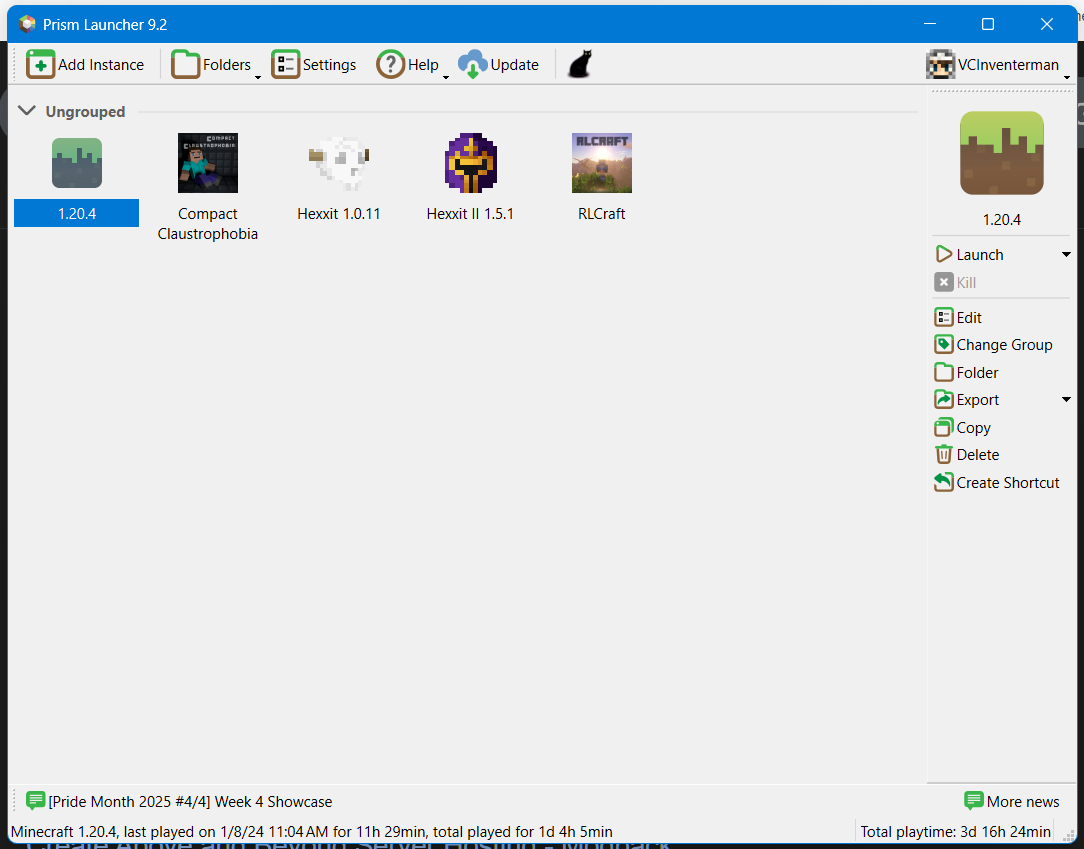
If you have a Minecraft Java Edition account, read this paragraph. Skip if not. Click the player head on the top right and click “Manage Accounts”. Next, click “Add Microsoft” on the right and click the “Sign in with Microsoft” button. Exit the menu after signing in.
Click “Add Instance” on the top left. Click “Import” on the left and paste in the link below.
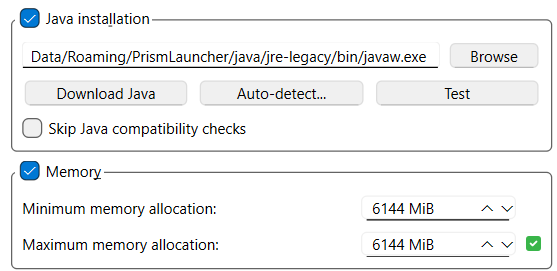
https://karrmedia.com/files/caab.zipClick “Okay” on the bottom right and wait for the pack to download. Next, right click the downloaded pack in the main menu and select “Edit”. Click “Settings” on the left and check the boxes for “Java Installation” and “Memory”.
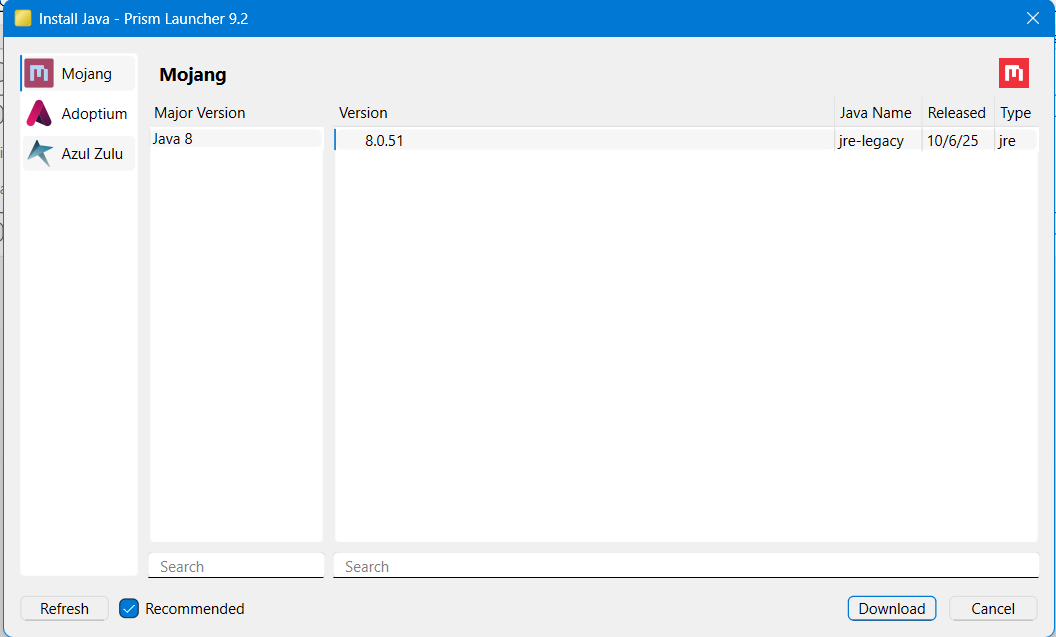
Click “Download Java” in the “Java Installation” menu and double click the only option as shown below (8.0.51). Next, click “Auto-Detect” in the “Java Installation” menu and double click the option starting with 1.8.
Next, set both the minimum and maximum memory numbers to 6144 as shown below.
You’re done! Click “Launch” on the bottom right or double click the icon in the main menu to play the game. Wait for it to open (takes a bit) and enter the IP:
mc.karrmedia.com